Administrator - not
This must be odie's blog and I am just an author
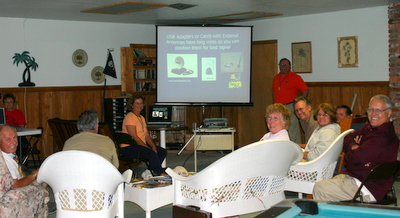
The most common comment we get after our computer seminars is, "That was great! Now, if only you could come home with me and sit beside me at the computer..."
With the disks you can purchase below, you get video tutorials just like what we present in our live seminars. The only difference is, there are more of them! For example, our Picasa seminar is 1.5 hours, including introductions and questions. Our Picasa disk below contains 21 video tutorials at 4 to 10 minutes each for over 2 hours of instruction.
Click on a title below to see the videos included. Click on 'Add to Cart' to purchase a disk.
| Seminar on a Disk | Price | |||
|---|---|---|---|---|
| Tutorial Collection - Table of contents - plus Vista (103 videos, 3-10 min/each) | $39 | |||
| Managing Digital Photos with Picasa | $15 | |||
| Computing Essentials | $15 | |||
| Making a Blog using Blogger.com | $15 | |||
| Windows Vista: What's New | $15 | |||
| Shipping and Handling | $5 | per order | ||
| ||||

I LOVE going shopping.
My favorite store is Petsmart. They let me in so I can sniff all the good smells.
And it's time to decide what I'm going to do with the old blog. Keep it on jimandchris.com with the FTP option, or switch over to blogspot.com so I can use the new templates.
In either case, I'm hosting the photos at jimandchris.com, so that's what I'm testing here.

Mother's watching too. So you be a good little doggie y'hear?
We don't want to have to do any censoring now do we?
Just so you know, I'm watching this experiment.
Not many dogs have their own blog.
You are representing canines around the world.
Poodles Rule!
Greg started his blog yesterday and he's having some issues with uploading photos. They upload fine the first time, then if he Edits that same post and uploads some more photos, the first set disappear. I'm going to go back to a previous post - with photos- here and try uploading some more and see what happens.
Worked ok for me. See post called Add Photos. I uploaded 5 more photos all at once. All the original photos are still there.



 Now, I'm writing another paragraph and I'm going to go get a different picture. I'm using the 'small' size for all of them so I don't have to type so much text to see the flow around them. The next picture will be of a road scene. I'll still keep it small, but I'll choose 'right' this time. Hmmm - it still appears at the top of my post, now to the right of the first paragraph. I have to drag it into place. And, here's the counter-intuitive part: Chris tells me to grab the picture and drag to the beginning of the paragraph. That's the left of the paragraph, not the right. But, when I let go, the picture appears at the right. She says that's the 'float' code that makes that happen. She says you can actually go into the 'Edit Html' view and see where it says "FLOAT: right", if you change 'right' to 'left', it will change the position of the picture. I don't like going into the html view, it scares me.
 OK, now it's time for a centered one. Geez, all this typing is making my paws ache. I'm usually a dog of few words, but we need words here to see the effect of the picture options.
  Now - the last one is 'none'. I have no idea where that's going to go, but I know how I'm going to do it. I'm going to upload it and it will appear at the top of this post. Then I'll drag it little by little till I get to the beginning of this paragraph - just before the 'Now'. Ok, here goes.
So, I chose small and left for the picture of me and it automatically went to the left of the current paragraph. So far, so good.
 Now, I'm writing another paragraph and I'm going to go get a different picture. I'm using the 'small' size for all of them so I don't have to type so much text to see the flow around them. The next picture will be of a road scene. I'll still keep it small, but I'll choose 'right' this time. Hmmm - it still appears at the top of my post, now to the right of the first paragraph. I have to drag it into place. And, here's the counter-intuitive part: Chris tells me to grab the picture and drag to the beginning of the paragraph. That's the left of the paragraph, not the right. But, when I let go, the picture appears at the right. She says that's the 'float' code that makes that happen. She says you can actually go into the 'Edit Html' view and see where it says "FLOAT: right", if you change 'right' to 'left', it will change the position of the picture. I don't like going into the html view, it scares me.
 OK, now it's time for a centered one. Geez, all this typing is making my paws ache. I'm usually a dog of few words, but we need words here to see the effect of the picture options. Did you know it's cold here in South Florida today? We woke up to 44 degrees. But I get warmed up when we go for a walk. We walk on the nature trail and, if I promise to stay on the trail Chris and Jim will let me off the leash and I can RUN. I love to RUN. Hmmm - maybe that's the picture I'll use for 'center' I'll find one of me running. Whew! That was kinda painful. It still brought the picture in to the top of this post and I can't see the top and the bottom here on the same screen so I couldn't drag the picture down. I had to drag it in sections. I still dragged it to the beginning of this paragraph - right before the 'OK'. When I let go, it appeared in it's current location. Chris says if you're real careful you can drag it from the top all the way to where you want it in one step - the screen will scroll as you drag down. I prefer doing it in sections.
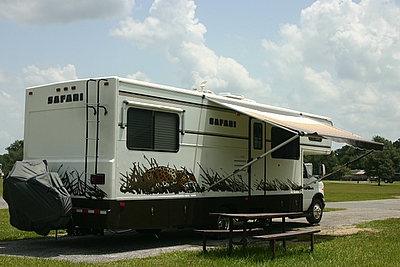
 Now - the last one is 'none'. I have no idea where that's going to go, but I know how I'm going to do it. I'm going to upload it and it will appear at the top of this post. Then I'll drag it little by little till I get to the beginning of this paragraph - just before the 'Now'. Ok, here goes. I'm using a picture of my home (motorhome) for this one. Oh, I see - 'none' means the picture shows up exactly where you drag it to. It's no different from text. If I drag it to the right, after the word 'go' - that's where it will show up, but the text won't wrap around it, I guess you need that 'float' for that.
That's all for now - I need a nap.
 I love to run. Here I am on the nature trail. I actually flew right by Chris, I'm surprised she was able to get a picture of me!